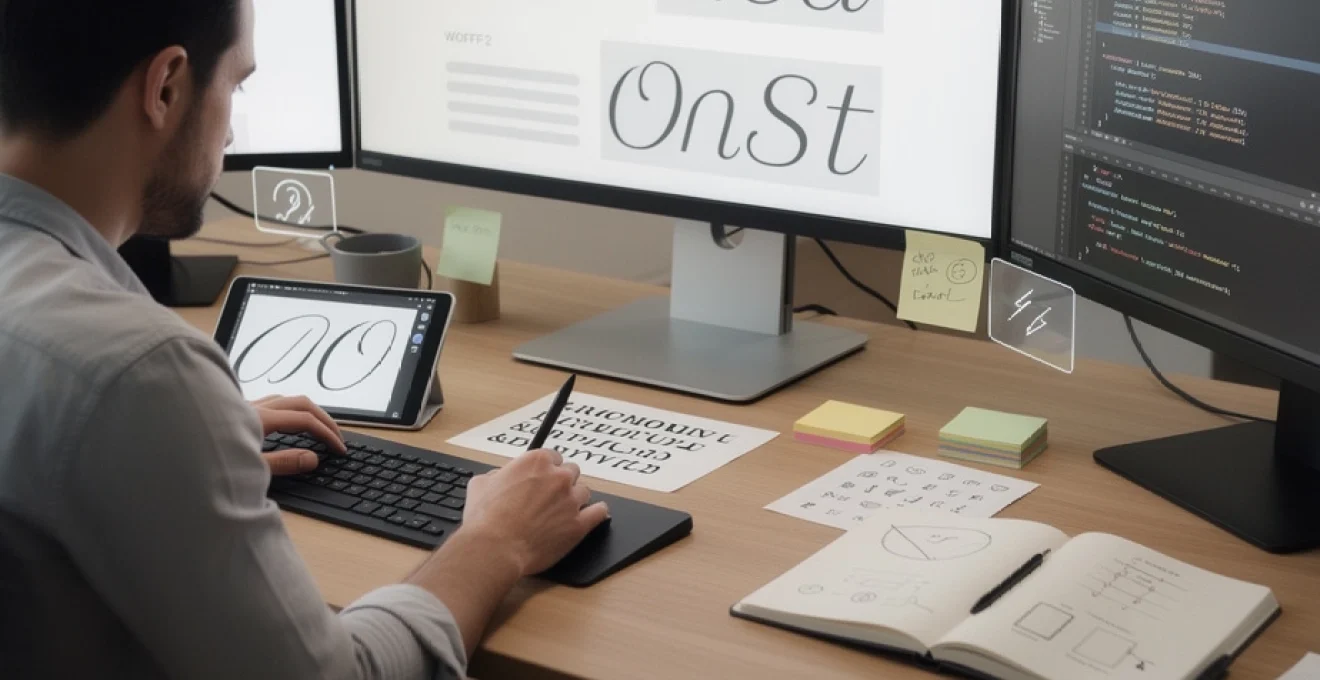
# How to Select the Font Used on Your Site for a Strong Visual Identity
Typography shapes the first impression visitors form when they land on your website. Within milliseconds, the fonts you’ve chosen communicate volumes about your brand’s personality, professionalism, and attention to detail. A well-selected typeface can elevate your content, guide readers through complex information, and reinforce brand recognition across every digital touchpoint. Conversely, poor typographic choices can undermine even the most compelling content, creating confusion and eroding trust before a single word is read.
The digital landscape offers unprecedented typographic freedom, with thousands of web fonts available at your fingertips. Yet this abundance creates its own challenge: how do you navigate the vast selection to identify typefaces that truly serve your brand’s visual identity? The decision extends far beyond aesthetic preference, encompassing technical performance considerations, accessibility requirements, and the psychological impact different letterforms have on your audience. Research consistently demonstrates that consistent brand presentation can increase revenue by up to 33%, with typography playing a central role in that consistency.
Understanding the technical specifications, strategic implications, and practical implementation of web typography empowers you to make informed decisions that balance beauty with functionality. From selecting typeface classifications that align with your brand values to optimizing font loading for Core Web Vitals, every choice contributes to the cohesive visual experience that distinguishes memorable brands from forgettable ones.
Typography fundamentals: understanding typeface classification and web font formats
Before diving into font selection, clarity around terminology prevents confusion. A typeface refers to the complete family of related designs sharing a unified aesthetic, while a font represents a specific weight, style, or variant within that family. Helvetica is a typeface; Helvetica Neue 45 Light is a font. This distinction matters when building comprehensive typographic systems that require multiple weights and styles whilst maintaining visual cohesion.
Typography encompasses all type-related elements forming part of your brand voice and visual identity. Understanding how different classifications communicate specific qualities helps you match typeface characteristics to brand personality. Each classification carries historical associations and psychological triggers that influence how audiences perceive your content, making classification knowledge essential for strategic font selection.
Serif vs Sans-Serif vs display fonts: strategic selection for brand personality
Serif fonts feature small decorative strokes or “serifs” at the endpoints of letterforms, evoking tradition, authority, and sophistication. These typefaces dominate finance, law, publishing, and luxury sectors where establishing credibility and heritage matters. Their historical lineage—serifs have adorned letterforms for centuries—creates subconscious associations with permanence and reliability. Examples like Baskerville, Playfair Display, and Merriweather excel in conveying elegance whilst maintaining excellent readability in longer text passages.
Sans-serif fonts eliminate these decorative strokes, presenting clean, minimal letterforms that communicate modernity and efficiency. The simplified geometry makes them particularly effective for digital-first brands, technology companies, and startups seeking approachable, contemporary aesthetics. Apple’s visual identity demonstrates how sans-serif typography can become synonymous with innovation and clarity. Fonts like Roboto, Montserrat, and Lato provide the versatility needed for responsive web environments where readability across various screen sizes is paramount.
Display fonts prioritise visual impact over extended readability, featuring decorative, stylised designs meant to capture attention in headlines, posters, and campaign materials. Their boldness and uniqueness make them ideal for short-burst applications where personality matters more than sustained reading comfort. However, overuse can overwhelm the overall design, making restraint crucial when incorporating display typefaces into your typographic hierarchy.
WOFF2, TTF, and variable fonts: technical specifications for web performance
Web font formats directly impact page loading speed and user experience. WOFF2 (Web Open Font Format 2) has emerged as the industry standard, offering superior compression that reduces file sizes by approximately 30% compared to its predecessor WOFF. This compression advantage translates to faster load times, particularly on mobile connections where bandwidth constraints remain significant. Browser support for WOFF2 now exceeds 95% globally, making it the default choice for modern web typography.
Tr
Traditional formats such as TTF (TrueType) and OTF (OpenType) are still widely used, particularly in desktop design software, but they lack the compression optimisations of WOFF and WOFF2 when served over the web. If you self-host fonts, exporting or converting them to WOFF2 (with a WOFF fallback if necessary) is usually the best approach for balancing quality and performance. Variable fonts represent the latest evolution, bundling multiple weights and styles into a single file with a continuous range of variation along axes like weight, width, and slant. Instead of loading five separate font files (Light, Regular, Medium, Bold, Extra Bold), a single variable font can interpolate between them, reducing HTTP requests and simplifying your CSS.
For brands that rely heavily on typography, variable fonts open up powerful possibilities. You can fine-tune weight for different screen sizes, increase contrast for accessibility, or adjust width for tighter layouts without swapping entire font files. Browser support for variable fonts is now strong across all modern browsers, making them a safe choice for most audiences. However, you still need to monitor file size; a poorly optimised variable font can be larger than several static fonts combined. The key is to test load times in real conditions and ensure your chosen web font format aligns with your performance budget.
Unicode support and glyph coverage for multilingual typography
If your site serves an international audience—or even a single language that uses accented characters—Unicode support and glyph coverage become non‑negotiable considerations. Many free fonts only include basic Latin characters (A–Z, 0–9, and punctuation), which can cause problems when users’ names, addresses, or translated content introduce accented letters or non‑Latin scripts. When a glyph is missing, browsers silently substitute a different font for that character, creating a “ransom note” effect and breaking the visual consistency of your typography. To avoid this, look for fonts with Extended Latin support as a minimum, and verify that they include all the diacritics and special characters you need.
For truly multilingual typography, superfamilies like Roboto, Noto, or Source Sans are designed to cover dozens of writing systems with harmonised proportions and visual rhythm. Think of this like building a global product: the more languages your typeface supports, the more control you retain over your brand’s appearance in every region. Check the font’s specimen or documentation for supported scripts such as Cyrillic, Greek, Arabic, Devanagari, or Thai, and test real sample text rather than relying on character charts alone. You should also confirm that numerals, currency symbols, and common typographic marks (like quotation styles and dashes) appear consistent across scripts to preserve a cohesive visual identity.
Licensing models: google fonts, adobe fonts, and commercial font foundries
Beyond aesthetics and performance, the legal framework around your typography is crucial. Not all fonts are licensed for commercial use on the web, and misusing a desktop-only license can expose your organisation to unexpected legal and financial risk. Open-source libraries such as Google Fonts provide a large catalogue of fonts that are free for both personal and commercial projects, with straightforward implementation and generous usage rights. This makes them an excellent starting point for many brands, especially when budgets are tight or you need to validate a new product or landing page quickly.
Adobe Fonts operates on a subscription model, bundling thousands of high-quality typefaces into Creative Cloud plans and handling web licensing through its own CDN. This is a strong option if your design team already lives inside Adobe software, as it simplifies asset management across print and digital. Commercial font foundries and independent type designers, meanwhile, offer bespoke or less common fonts with greater exclusivity and refined craftsmanship. Here, licensing is often more granular, with separate fees for desktop, web, app, and broadcast usage based on traffic or pageview tiers. Whichever route you choose, document your licenses, traffic assumptions, and implementation details in your brand guidelines so that future redesigns stay compliant and consistent.
Establishing typographic hierarchy with primary, secondary, and accent fonts
A strong visual identity depends not just on which fonts you choose, but on how you organise them. Typographic hierarchy guides users through content, signalling what to read first, what to scan, and what can be skimmed. Most brands work best with a compact system of two to three fonts: a primary font for headings and key brand moments, a secondary font for body copy, and an optional accent font for highlights or decorative use. Restricting yourself to this small palette creates cohesion across your site while still giving you enough flexibility to differentiate content types.
Hierarchy is built through more than size alone. Weight, colour, letter spacing, and line height all contribute to how readers perceive emphasis and structure. For example, you might combine a bold, uppercase primary font for H1s with a lighter-weight secondary font for paragraphs and captions. This contrast makes it easy for visitors to scan pages, particularly on mobile, where attention spans are short and layouts are more constrained. By defining these roles clearly in your design system, you ensure that future pages, campaigns, and landing experiences all feel like part of the same brand family.
Pairing strategies: combining roboto with merriweather for optimal readability
One of the most effective and accessible web font pairings is a modern sans-serif for user interface elements combined with a serif for reading-intensive content. A classic example is pairing Roboto (sans-serif) with Merriweather (serif). Roboto’s clean, geometric forms make it ideal for navigation, buttons, labels, and small UI text where clarity and neutrality are essential. Merriweather, with its slightly condensed letterforms and generous x-height, is optimised for on-screen reading, offering comfortable legibility even in long articles or blog posts.
Why does this combination work so well? At a glance, the fonts are distinct enough to signal hierarchy—headings and UI elements stand apart from paragraphs—yet they share similar proportions and stroke contrast, preventing visual clashes. You might use Roboto Bold for H1 and H2 headings, Roboto Medium for buttons and forms, and Merriweather Regular for body copy at 16–18px with a line height of around 1.5. If you need a more minimal aesthetic, you can reverse the roles (Merriweather for headings, Roboto for body), but always test the pairing on both desktop and mobile. Ask yourself: does the hierarchy remain clear when you skim the page in three seconds?
Font stack architecture: implementing system font fallbacks
No matter how carefully you select your brand fonts, there will always be situations where they fail to load—poor connections, blocked CDNs, or browser constraints. A robust font stack architecture ensures that when this happens, your typography degrades gracefully rather than breaking the layout. In CSS, you define a sequence of fonts from most to least preferred, ending with generic families like serif or sans-serif. If the browser can’t load your custom web font, it moves down the list, using system fonts that approximate your intended style and metrics.
For example, a sensible font stack for a Roboto-based interface might look like: font-family: "Roboto", -apple-system, BlinkMacSystemFont, "Segoe UI", "Helvetica Neue", Arial, sans-serif;. Here, native system fonts on macOS, iOS, Windows, and Android provide familiar, well-hinted fallbacks that preserve legibility and performance. When designing your font stack, pay attention to metrics like x-height and default line height; large discrepancies between primary and fallback fonts can cause layout shifts. Test your site with custom fonts disabled to see how your system stacks behave—this quick check often reveals spacing or wrapping issues before your users do.
Modular scale systems: calculating line height and letter spacing ratios
Once you have chosen your primary and secondary fonts, the next step is to define a consistent typographic rhythm. A modular scale uses a mathematical ratio—such as 1.125, 1.2, or the “perfect fourth” 1.333—to determine harmonious font sizes across headings, subheadings, and body text. Starting from a base size (often 16px for body copy), each level of the hierarchy is multiplied by the chosen ratio to produce H6, H5, up to H1. This approach is similar to using a musical scale: each step feels related to the others, creating visual harmony throughout your layout.
Line height (leading) and letter spacing (tracking) should be tuned to your chosen fonts rather than applied as rigid rules. For most body text on the web, a line height between 1.4 and 1.6 offers a good balance between density and readability. Headings can often use a slightly tighter line height, around 1.1 to 1.3, to keep multi-line titles visually compact. Letter spacing usually remains at the default for body text, but you may add a small positive value (for example, 0.05em) for uppercase headings to improve clarity. Documenting these ratios in your design system helps developers implement them consistently in CSS, ensuring that new pages maintain the same typographic rhythm.
Responsive typography: fluid type scaling with CSS clamp and viewport units
Modern layouts must adapt to everything from large desktop monitors to small mobile screens, and static font sizes rarely perform well across that entire range. Responsive typography uses CSS techniques like clamp() and viewport-based units to create fluid type scales that grow or shrink smoothly with the browser width. The clamp() function lets you define a minimum, preferred, and maximum font size, for example: font-size: clamp(1.25rem, 2vw, 2rem);. This ensures that headings never become unreadably small on mobile or comically large on ultra-wide displays.
When implementing fluid typography, test the behaviour at common breakpoints as well as “in between” sizes where quirks often appear. A good mental model is to imagine your type as an elastic grid: it stretches and compresses, but always within sensible limits that preserve hierarchy and line length. Aim for 45–75 characters per line for body text, adjusting font-size and line-height together to maintain that range. By combining modular scales with fluid sizing, you create a system where typography feels intentional and comfortable regardless of device, without resorting to endless hard-coded breakpoints.
Technical implementation: CSS @font-face and font loading strategies
Design decisions are only as effective as their implementation. To bring your chosen web fonts into the browser, you typically use the @font-face rule in CSS, either by self-hosting files or linking to a third-party provider. Self-hosting gives you greater control over performance, caching, and privacy, while services like Google Fonts and Adobe Fonts simplify setup and ongoing management. In both cases, your goal is to load only the fonts you need, in the formats best suited to your target browsers, without blocking the rendering of critical content.
A basic @font-face block defines the font-family name, file sources (usually WOFF2 first), weight, style, and optional descriptors like font-display. You may create separate declarations for each weight and style you use, or reference a variable font with a weight range. As you scale your site, grouping your font declarations in a dedicated typography stylesheet or component library makes it easier to maintain consistency and update files without touching every page.
Font display properties: controlling FOIT and FOUT rendering behaviour
One of the most visible aspects of web typography is how text behaves while fonts are loading. Historically, browsers would hide text until the custom font downloaded—a phenomenon known as FOIT (Flash of Invisible Text). While this preserved the intended design, it created a poor user experience, especially on slow connections. Modern CSS introduces the font-display descriptor, allowing you to control this trade-off. Values like swap, block, fallback, and optional determine whether the browser shows fallback fonts first (FOUT: Flash of Unstyled Text) or waits briefly for the custom font.
For most content-heavy sites where readability and Core Web Vitals matter, font-display: swap; is a sensible default. It ensures that text appears immediately using a fallback font and then swaps to the custom font once it becomes available. This may cause a subtle shift in layout, but users can start reading without delay, which search engines tend to reward. For less critical fonts—such as decorative accents below the fold—you might choose optional, which allows the browser to skip loading the font on very slow networks. The key is to assign font-display deliberately based on each font’s role in your visual hierarchy.
Subsetting techniques: reducing file size with unicode-range declarations
Many fonts ship with thousands of glyphs covering multiple languages and advanced typographic features. While this is great for flexibility, it can unnecessarily bloat file sizes if your site only uses a subset of those characters. Subsetting involves creating smaller font files that include only the glyphs you actually need—such as basic Latin and a limited set of punctuation—dramatically reducing download times. Some font providers allow you to generate subsets automatically, while self-hosted workflows might use tools like font editors or command-line utilities to strip unused characters.
In CSS, the unicode-range descriptor lets you serve different subsets to different users based on the characters required. For example, you might load a smaller Latin subset for most visitors while keeping a larger multi-script file available for specific language versions of your site. This is similar to packing a suitcase: you only bring what you need for the trip, rather than your entire wardrobe. When implementing subsetting, test all dynamic content types—user-generated comments, names, and translations—to ensure that no essential characters are missing, as silent fallbacks can undermine your carefully crafted typography.
Preloading critical fonts: resource hints and performance optimization
Even optimised font files can cause delays if the browser discovers them too late in the loading process. Preloading critical fonts using the <link rel="preload"> resource hint tells the browser to fetch them as a high-priority asset early in the page lifecycle. This is particularly useful for primary branding fonts used in above-the-fold headings and navigation, where a delay would be visually jarring. The syntax typically specifies the font file, its type (such as font/woff2), and the crossorigin attribute if served from a different domain.
However, preloading should be used judiciously. Over-preloading assets can overwhelm the network and negate the performance benefits you are trying to achieve. Focus on one or two critical fonts and let less important styles load with normal priority. It’s wise to monitor the impact using tools like Lighthouse or WebPageTest, comparing time to first contentful paint (FCP) and largest contentful paint (LCP) before and after implementing preloads. By treating fonts as first-class performance assets rather than decorative extras, you ensure that your visual identity supports, rather than hinders, fast user experiences.
Font-feature-settings: enabling OpenType ligatures and stylistic alternatives
Modern OpenType fonts include a wealth of advanced features that go far beyond basic character shapes. Ligatures, small caps, oldstyle figures, stylistic alternates, and contextual substitutions can add polish and nuance to your typography when used appropriately. In CSS, properties such as font-feature-settings, font-variant-ligatures, and font-variant-numeric give you granular control over these features. For example, you might enable discretionary ligatures for large display headlines while keeping them disabled in body text to avoid distracting letterforms.
Consider numeric styles as another powerful tool. Oldstyle figures integrate more gracefully within paragraphs, while tabular figures align neatly in tables and dashboards. Script and handwriting fonts often rely on contextual alternates to mimic natural writing, changing letter shapes based on their neighbours. Think of these features like optional extras on a car: you don’t need all of them all the time, but the right combination can significantly elevate the experience. Document which OpenType features your brand uses and in which contexts so that designers and developers can implement them consistently across components and platforms.
Performance metrics: core web vitals and typography’s impact on page speed
Google’s Core Web Vitals—Largest Contentful Paint (LCP), First Input Delay (FID, evolving into Interaction to Next Paint), and Cumulative Layout Shift (CLS)—have made performance a central aspect of SEO and user experience. Typography directly affects all three. Large or poorly optimised font files can delay LCP by blocking text from rendering, while layout shifts caused by late-loading fonts can increase CLS and frustrate users. Font loading strategies, file formats, and fallback handling are therefore not just technical details but ranking and conversion factors.
To evaluate the impact of your font choices, run performance audits using tools such as Lighthouse, PageSpeed Insights, or Chrome DevTools. Look for warnings related to render-blocking resources, unused font variants, or excessive file sizes. Reducing the number of font families, limiting weights, and adopting WOFF2 and subsetting can yield substantial improvements. As a rule of thumb, aim to keep your total critical font payload under 150–200KB compressed for initial page loads. By aligning typographic decisions with Core Web Vitals, you maintain a strong visual identity without sacrificing speed or search visibility.
Accessibility compliance: WCAG 2.1 contrast ratios and legibility standards
Strong typography is inclusive typography. The Web Content Accessibility Guidelines (WCAG) 2.1 set clear requirements around text contrast, legibility, and scalability to ensure that content remains usable for people with visual impairments, cognitive differences, or situational limitations. At a minimum, body text should meet a contrast ratio of 4.5:1 against its background (3:1 for large text over 18pt or 14pt bold). Thin weights, ultra-light styles, and tightly spaced letterforms may look elegant in mockups but often fail in real-world conditions, especially on low-quality displays or in bright environments.
When assessing fonts for accessibility, test them at different sizes and weights on actual devices, including mobile phones and tablets. Ask: is this still readable at 14–16px on a small screen? Can users with reduced vision zoom the text up to 200% without losing content or functionality? Avoid relying solely on colour to communicate hierarchy or interactivity; use weight, underlines, or iconography to support users who cannot perceive subtle colour differences. By prioritising accessible typography from the outset, you not only comply with WCAG 2.1 but also widen your potential audience and reduce friction for all users.
Brand consistency: creating comprehensive typography style guides and design systems
Once you have selected your fonts, defined hierarchy, and implemented technical best practices, the final step is to capture these decisions in a clear, actionable typography style guide. This guide should document your primary, secondary, and accent fonts; specify which weights and styles are approved; and outline usage rules for headings, body text, captions, buttons, and special cases. Include examples of correct and incorrect usage so that new team members, agencies, and developers can quickly internalise your standards. A well-crafted guide turns typography from a set of one-off choices into a repeatable system that scales with your brand.
In more mature organisations, these rules are embedded into a broader design system or component library, complete with reusable CSS classes, tokens, or design variables. For instance, you might define typographic tokens like --font-size-body, --line-height-heading, or --font-family-ui and reference them across your codebase. This ensures that changes—such as switching to a new body font or adjusting base size for accessibility—can be applied globally with minimal effort. By treating typography as a core part of your design system, you protect brand consistency even as you ship new features, run experiments, or expand into new markets.